
Product shots for stores and listings
Start from a product photo, describe a slow orbit or a reveal, and end on a clean final frame you supply.
In launch tests from fal Research and Black Forest Labs, FLUX 3 Max rendered a 10-second 720p clip in about 12 seconds of model time. Use that speed to draft: write a scene or start from a photo, and get 5 to 20 seconds of video with picture and sound from the same run.
Production preview
Begin from a written scene or from a picture, then decide what the clip should sound like. Picture and audio come out of one run.
Name the subject, the action, the camera move and the sound of the place. FLUX 3 Max composes the whole shot from those words, which makes it a quick way to test an idea for an establishing shot or a scene you could never film.
Try a text prompt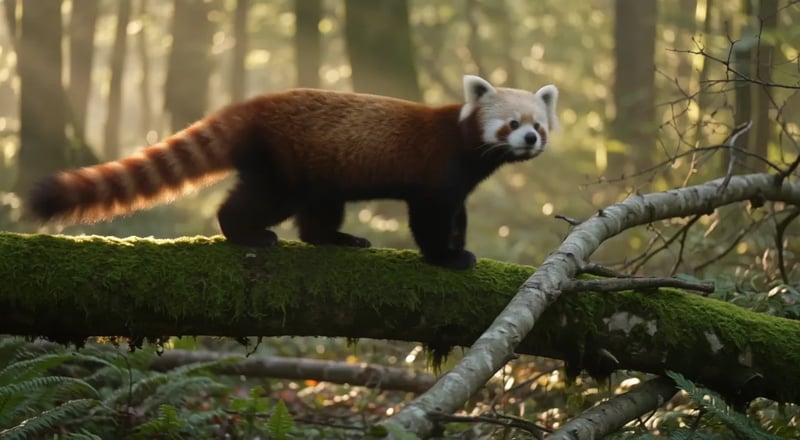
Your image becomes the opening frame, so its framing, colors and characters carry into the clip. In the prompt, write only what changes after that first moment. If the clip must finish on a particular shot, such as a packshot or a title card, add it as the last frame.
Upload a first frame
Write it like a short script: who talks, the exact words in quotes, and what the room sounds like. In the talk-show sample, the host's line, the laughter and the background ambience come out of the same run as the picture.
Script a scene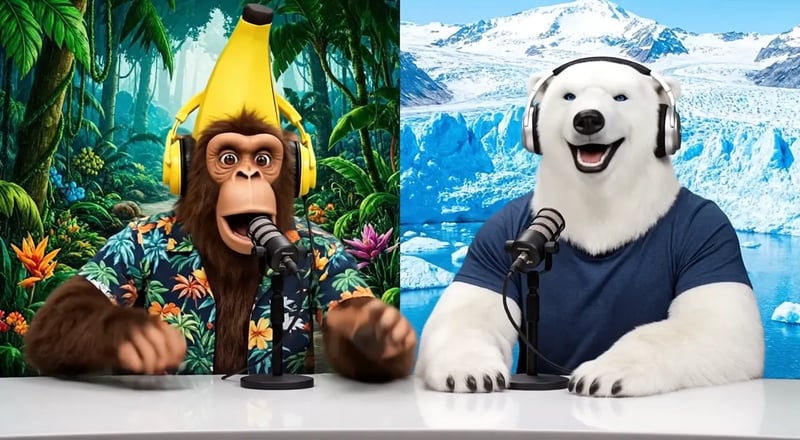
Draft at 5 seconds and 720p while you find the shot, then raise the length or resolution for the version you keep.
Keep it to one unbroken moment. Say who is on screen, what they do from start to end, where the camera goes and which sounds or lines belong in it.
Working from a picture? Upload it as the first frame, and add an ending image if you need one. Working from text alone? Skip straight to settings.
Pick anywhere from 5 to 20 seconds and 720p or 1080p. From text, choose a shape from 9:16 to 21:9; from a first frame, the clip keeps that image's shape.
Watch the take, change one detail in the prompt and run again. Takes land in your assets, so you can compare versions and download the best one.
In fal Research and Black Forest Labs' launch tests, the original FLUX 3 took over two minutes for a 10-second 720p clip and FLUX 3 Max took about 12 seconds. It is also tied for #1 in image-to-video quality in preliminary October 2026 results, and sticks closer to what you write.
fal Research and Black Forest Labs measured about 12 seconds of model time for a 10-second 720p FLUX 3 Max clip, against over two minutes for the original FLUX 3. Here you also wait for the queue and upload. Short 720p drafts are the cheapest way to find the shot, so try a few before committing to a 20-second or 1080p final.
On the Artificial Analysis Video Arena, FLUX 3 Max is tied for first place in image to video with an Elo score of 1139, in preliminary results from October 2026. It shows most when you animate a product photo or a portrait, where the look of the opening frame has to hold through the move.
FLUX 3 Max was tuned to follow your prompt, so the actions, camera moves and spoken lines you write are more likely to make it on screen. One clear sequence per shot gives it the best chance to match.
Two clips we made with FLUX 3 Max on 20 October 2026: 5 seconds, 720p, sound on, one take each, from the prompts exactly as typed. Play them with the sound up and hold each one against its prompt.
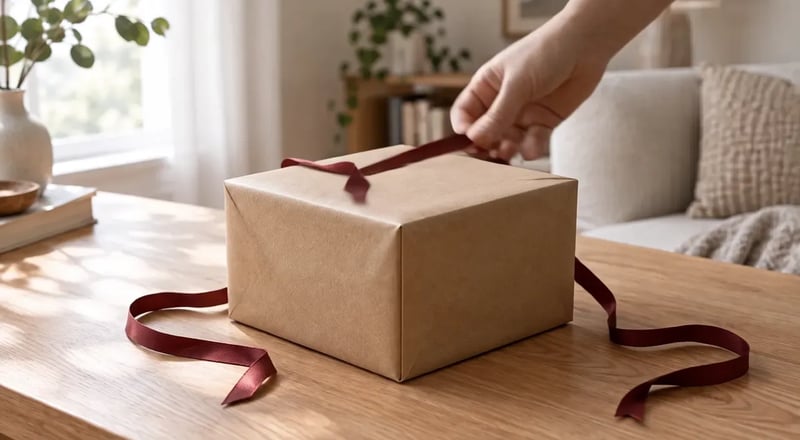
Image to video with two stills of the same oak table: a closed gift box as the first frame, and the box open with a watch inside as the last frame.
Prompt: A hand enters the frame, unties the red ribbon and lifts the lid, leans it against the side of the box and moves out of frame, revealing a wristwatch on white tissue paper. The camera holds still. The soft window light stays the same. Sound: ribbon sliding, paper rustling, a soft click as the lid comes off.
A hand comes in, pulls the ribbon loose and lifts the lid, and the clip lands on the open box from the last frame.
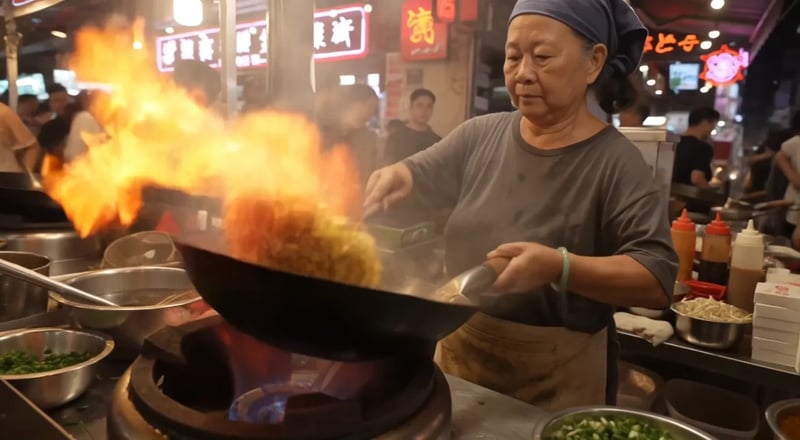
Prompt: Night market food stall, handheld medium shot. An older street cook tosses noodles in a flaming wok; the flames flare up and light her face. She looks up at a customer just off camera and says with a grin: "Two minutes. Best noodles on this street." Sizzling wok, crowd chatter, a distant scooter horn. Warm neon signs and drifting steam.
The cook works under red neon in heavy steam, flings a tangle of noodles up out of the wok and finishes on a grin. The clip was ready 15 seconds after we submitted it. The same prompt took 77 seconds on the original FLUX 3.
All four run in the generator above; choose the model there. Compare how each one starts, whether it changes an existing clip, how long it runs and what it costs per second.
| DefaultFLUX 3 MaxFast drafts with soundUse FLUX 3 Max | FLUX 3A second take on the same promptPick FLUX 3 in the generator | H3 MaxBuild from reference filesPick H3 Max in the generator | H3 Max TurboLowest cost per secondPick H3 Max Turbo in the generator | |
|---|---|---|---|---|
| Best for | Fast drafts with sound and a fixed opening frame | A second take with a different look | Shots built from reference images, video and audio | Lower-cost runs at 480p and 768p |
| Start from | Text, or a first frame plus an optional last frame | Text, or a first frame plus an optional last frame | Text, first and last frames, or reference images, video and audio | Text, or a first frame plus an optional last frame |
| Change an existing clip | No | Has a video edit mode, not in this generator yet | Extend a clip | No |
| Clip length | 5–20 seconds | 5–20 seconds | 5–15 seconds | 5–15 seconds |
| Resolution | 720p or 1080p | 720p or 1080p | 480p, 768p or 1080p | 480p, 768p or 1080p |
| Credits per second (new clip) | 35 at 720p, 60 at 1080p | 35 at 720p, 60 at 1080p | 10 at 480p, 35 at 1080p | 5 at 480p, 20 at 1080p |
Pick the frame for where the clip will run, then use the rest of the workspace to make the first frame and keep track of takes.
9:16 or 3:4 for Reels, Shorts and TikTok, 1:1 for feeds, 16:9 for YouTube, 2:1 or 21:9 for a letterboxed cinematic look. Auto gives 16:9 from text; with a first frame, the clip keeps that image's shape.
No photo yet? Ask the AI Studio agent for a still made with GPT Image 2.5 Flare or Nano Banana 2.1, then use it as the opening frame for FLUX 3 Max.
Not sure how to phrase the shot? Describe it in chat and the agent writes the prompt, runs it and keeps every take in one conversation, so you can ask for changes in plain words.
Finished videos are saved to your assets, where you can rewatch and download them. Without an active subscription, files are kept for 30 days.
Short clips where you want to try several versions before you pick one.
Start from a product photo, describe a slow orbit or a reveal, and end on a clean final frame you supply.
Put the narrator's script under the scene description and the spot comes back with voice, picture and music already lined up.
Generate 9:16 versions of the same idea with different openings, then post the one that stops the scroll.
Bring a portrait or character illustration to life with a small movement, a look to camera or a spoken line.
Buy credits once or subscribe. A FLUX 3 Max run costs 35 credits per second at 720p and 60 at 1080p.
Enjoy Limited-Time 30% OFF!
FLUX 3 Max is a video model post-trained by fal Research in partnership with Black Forest Labs, starting from Black Forest Labs' FLUX 3. It was tuned to follow prompts more closely, look better and generate much faster than the original FLUX 3, and it was released in October 2026.
FLUX 3 Max ranks higher in image-to-video quality (Elo 1139 against 1089 in preliminary October 2026 Artificial Analysis Video Arena results) and, in launch tests, finished a 10-second 720p clip in about 12 seconds instead of over two minutes. FLUX 3 also has a video edit mode that re-renders a clip you already have; that mode isn't in the generator here yet, but both models are.
Yes. Audio is generated in the same run as the picture: spoken lines, narration, background ambience and music you describe. Write dialogue as a quoted line with the speaker named before it. If you only need the visuals, audio can be turned off before you generate.
Each clip runs 5 to 20 seconds, chosen in one-second steps, at 720p or 1080p. Text to video offers shapes from 9:16 vertical to 21:9 widescreen; image to video always follows the shape of your first frame.
Yes. In image to video, upload the image the clip starts from and, optionally, a second image for the final frame. Your prompt describes how the shot moves from one to the other.
FLUX 3 Max uses 35 credits per second at 720p and 60 per second at 1080p, so a 5-second 720p clip costs 175 credits. The generator shows the exact total before you start, and a run that fails gets its credits back automatically. New accounts get 10 free credits, enough to make a still with an image model here and use it as your first frame; FLUX 3 Max clips run on a credit pack or a plan from the pricing page.
Yes, on a paid plan or credit pack. FLUX 3 Max is offered for commercial use, and under our terms the videos you generate with paid credits are yours to use, including in ads and client work. Output made only with free credits is for personal use. Clear the rights to any people, logos or footage you put into a clip before you publish it.
FLUX 3 Max AI is an independent workspace that runs FLUX 3 Max next to other image and video models. It is not affiliated with or endorsed by Black Forest Labs or fal; their model names are used here only to say which model you are using.
Pick text or a still, script the sound, and watch your draft come back in seconds of model time.