

FLUX 3 Max vs FLUX 3
For a new clip, start on FLUX 3 Max. In our run of two 5-second 720p prompts it delivered each finished clip four to five times sooner than FLUX 3, and it ranks higher for image to video in preliminary October 2026 Artificial Analysis Video Arena results. Both make 5 to 20 second clips with sound at 720p or 1080p, and both cost the same per second. FLUX 3 is the model with a video edit mode for clips you already have.
Production preview
FLUX 3 Max vs FLUX 3 at a glance
Three things differ: how long you wait, how the two rank for image to video, and whether the model can edit a clip you already have. Length, resolution, sound and credits per second are the same.
| DefaultFLUX 3 MaxFast takes from text or a first frameRun FLUX 3 Max | FLUX 3The model with a video edit modePick FLUX 3 in the generator | |
|---|---|---|
| Made by | Post-trained from FLUX 3 by fal Research with Black Forest Labs | Black Forest Labs |
| Model time for a 10-second 720p clip (launch tests) | About 12 seconds | Over two minutes |
| Your full wait, queue included (our 5-second 720p run) | 14–15 seconds | 62–77 seconds |
| Image-to-video ranking (Artificial Analysis Video Arena, preliminary, Oct 2026) | Elo 1139, tied for #1 | Elo 1089 |
| Start from | Text, or a first frame plus an optional last frame | Text, or a first frame plus an optional last frame |
| Change an existing clip | No | Yes, with its video edit mode (not in this generator yet) |
| Sound | Generated with the picture; can be switched off | Generated with the picture; can be switched off |
| Clip length | 5–20 seconds | 5–20 seconds |
| Resolution | 720p or 1080p | 720p or 1080p |
| Credits per second (new clip) | 35 at 720p, 60 at 1080p | 35 at 720p, 60 at 1080p |
FLUX 3 Max vs FLUX 3 on the same prompt
We ran two text prompts on each model with identical settings: 5 seconds, 720p, 16:9, sound on, one take each. On these two text prompts neither model followed every instruction, and FLUX 3 Max finished each take four to five times sooner. The wait under each clip runs from submitting the prompt to the finished file, queue included; yours will vary. Play each pair with the sound up and check the action, the line and the lighting against the prompt.
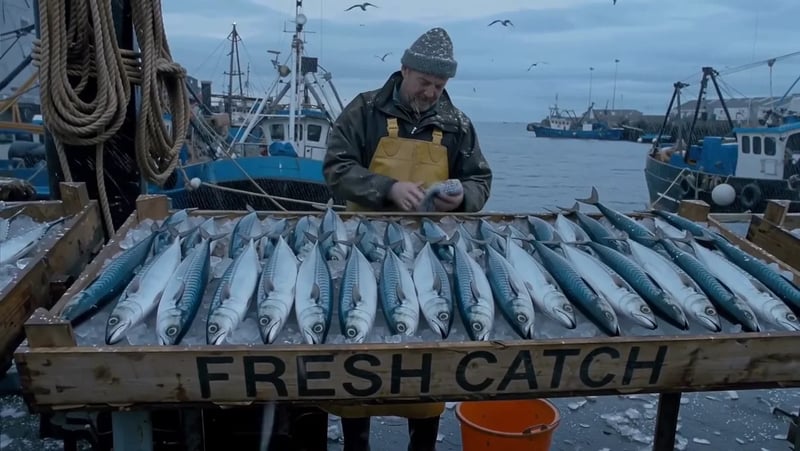
Night-market cook: FLUX 3 Max
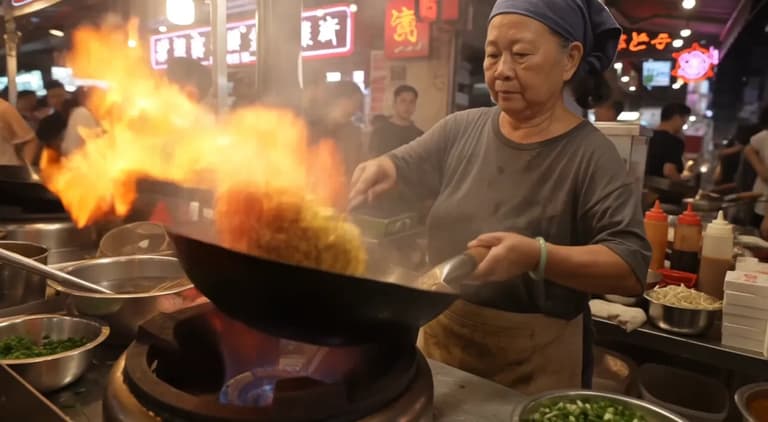
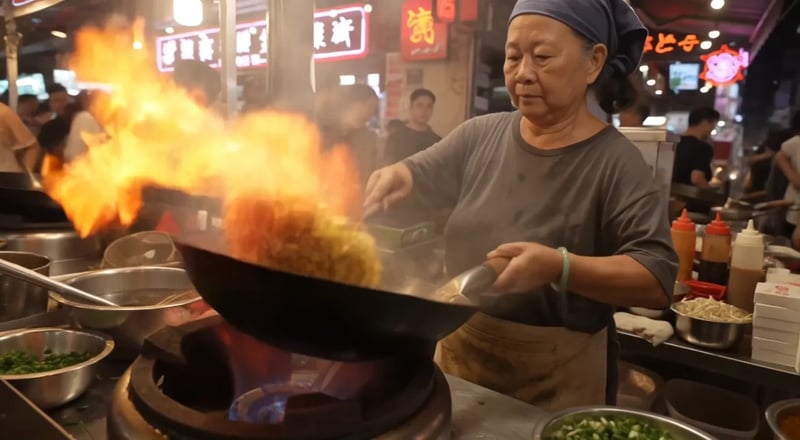
Prompt: Night market food stall, handheld medium shot. An older street cook tosses noodles in a flaming wok; the flames flare up and light her face. She looks up at a customer just off camera and says with a grin: "Two minutes. Best noodles on this street." Sizzling wok, crowd chatter, a distant scooter horn. Warm neon signs and drifting steam.
The prompt's warm neon signs and drifting steam show up here as a covered stall under red neon and heavy steam. Asked for a toss, FLUX 3 Max has the cook fling a big tangle of noodles up out of the wok, and the take ends on her grin. The finished clip was ready 15 seconds after we submitted it.
Night-market cook: FLUX 3
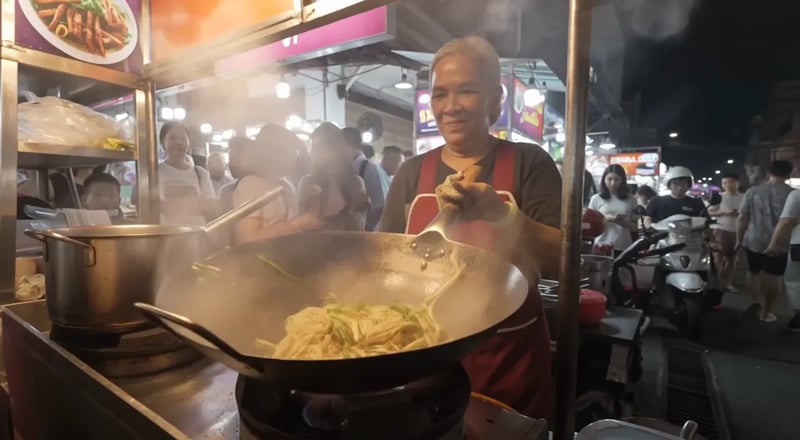
Same prompt and settings on the original FLUX 3. This take sets the stall on an open-air night street and puts on screen the crowd and scooters the prompt only asks to hear. Her toss is gentler, closer to the prompt's wording, and she ends on a grin. The finished clip was ready after 77 seconds.
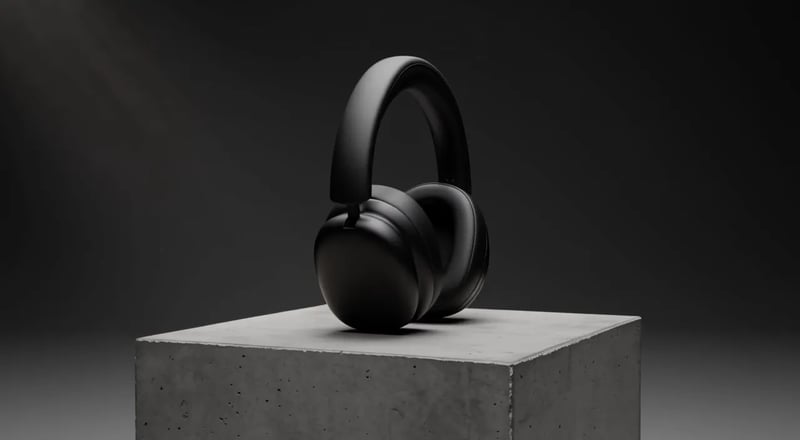
Headphones on a pedestal: FLUX 3 Max
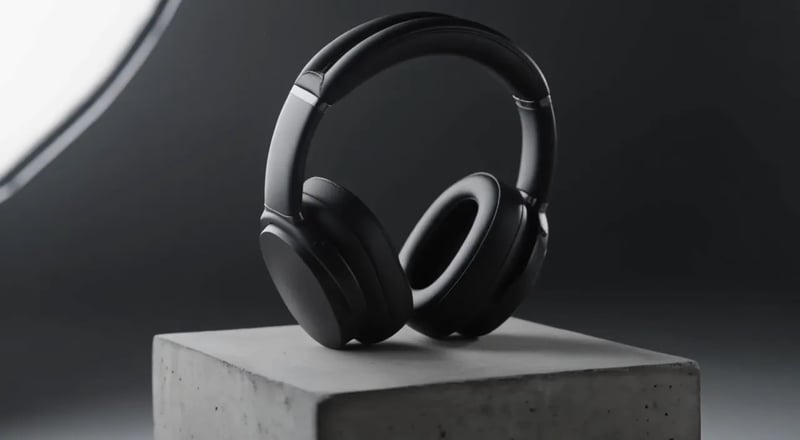
Prompt: Slow 180-degree orbit around a pair of matte black over-ear headphones resting on a concrete pedestal in a minimal studio. Soft key light from the left, a thin rim light traces the ear cups, dust drifts through the beam. The orbit ends front-on as the light warms slightly. A low ambient synth hum.
The prompt asks for a slow 180-degree orbit that ends front-on as the light warms. FLUX 3 Max gets the light right, shifting from cool grey to warm amber by the end, but the camera covers only part of the arc. The finished clip was ready after 14 seconds.
Headphones on a pedestal: FLUX 3
Same prompt and settings on FLUX 3. The camera covers the full half circle, from side profile to front-on, but the light stays cool and neutral instead of warming. The finished clip was ready after 62 seconds.
When to pick FLUX 3 Max, when to pick FLUX 3
Length, resolution, sound and price match, so two questions decide it: how many takes you expect to need, and whether you are making a new clip or changing one you already have.
Pick FLUX 3 Max for new clips and many takes
Finding a shot usually takes several runs: rewrite a line, adjust the camera, run again. In our run, a 5-second 720p clip was ready in about 15 seconds on FLUX 3 Max and in 62 to 77 seconds on FLUX 3, so you get four or five Max takes in the time of one FLUX 3 take.
When you animate a photo instead, Max is still the place to start: it sits above FLUX 3 for image to video in preliminary October 2026 Artificial Analysis Video Arena results.
Pick FLUX 3 when you need its video edit mode
FLUX 3 can also re-render a clip you already have. Give it a source video of up to 15 seconds and a written change, such as heavy snow, a new setting or a watercolor look, and it returns the clip at 720p with the original camera movement. FLUX 3 Max has no edit mode. The edit mode is not in this generator yet, so here both models make new clips.
Try the other model when a take misses one detail
In our headphone test, FLUX 3 Max warmed the light as asked and FLUX 3 completed the full orbit. When a take gets most of the prompt right but drops one instruction, run the same prompt on the other model before you start rewriting it.
Test both on your own prompt
- 1
Write one prompt and keep the settings low
Describe one take in plain sentences, in the order it plays out: who is in it, what happens, where the camera goes, and any line or sound. Stay at 5 seconds and 720p, the cheapest settings on either model.
- 2
Run it on each model
The generator opens on FLUX 3 Max, ready for a text prompt. Run the prompt, then pick FLUX 3 in the model menu and run it again without changing a word or a setting.
- 3
Compare the two takes
Both clips are saved to your assets. Play them with sound and check each one against your prompt: the action, the spoken line, the light, the camera. Raise the length or resolution only on the model you keep.
FLUX 3 Max vs FLUX 3: questions
For most new clips, yes. Each take comes back far sooner, and on the image-to-video leaderboard Max is tied for first while FLUX 3 sits 50 Elo points lower, in preliminary October 2026 Artificial Analysis Video Arena results. For text to video we only have our own single takes, where each model got different parts of the prompt right. What FLUX 3 adds is a video edit mode for footage you already have.
In launch tests by fal Research and Black Forest Labs, a 10-second 720p clip took about 12 seconds of model time on FLUX 3 Max and over two minutes on FLUX 3. Your real wait adds the queue and saving the file; in our 5-second 720p run that came to 14–15 seconds on Max and 62–77 seconds on FLUX 3, from single takes.
No. FLUX 3 Max only makes new clips, from text or from a first frame. Editing existing footage is a FLUX 3 mode, and it is not in this generator yet.
Yes. Both generate speech, ambience and music together with the picture, from what you describe. Quote the exact words and name the speaker before them. On either model you can switch sound off when you only need the picture.
A 5-second 720p take costs 175 credits on FLUX 3 Max and 175 on FLUX 3, so one side-by-side test at those settings uses the two amounts together. Per second, FLUX 3 Max uses 35 credits at 720p and 60 at 1080p; FLUX 3 uses 35 and 60.
More about FLUX 3 Max
Test FLUX 3 Max and FLUX 3 on your own idea
Start with a 5-second 720p take on FLUX 3 Max, run the same prompt on FLUX 3, and keep the model that suits the job.